
WordPress Mastery Kit

غير مصنف
قائمتي المفضلة مشاركة
مشاركة
رابط الصفحة
مشاركة على وسائل التواصل الاجتماعي

عن الدورة


1️⃣ Description

Grab this stupendous Advance WordPress Mastery Kit HD video training course to create beautifully designed and aesthetically pleasing WordPress sites without any coding or technical skills!
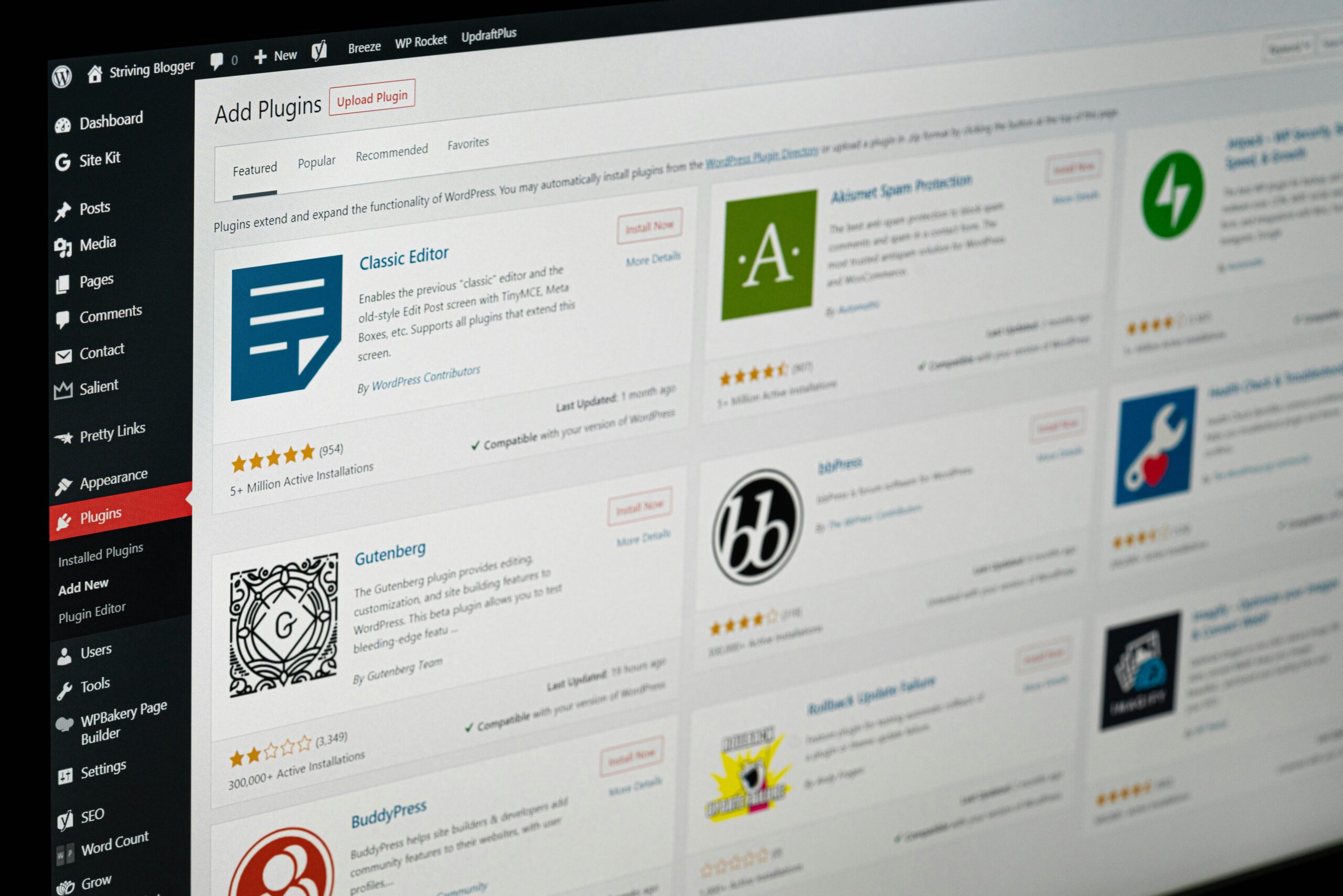
This course continues from the first edition of the Advance WordPress Master Kit and is designed to help you bypass common roadblocks that many beginners face.

With this 8-part video series, you will learn how to develop WordPress plugins efficiently, find the right programmer, and even set up affiliate programs and membership systems on your WordPress site.

You will also learn to automate tedious tasks, increase engagement, and provide a fantastic user experience for your visitors. By the end of the course, you will be confident in building, maintaining, and optimizing your WordPress site for maximum traffic and revenue.


2️⃣ Curriculum / Outline

Module 1: Introduction & Overview

  • Welcome to Advance WordPress Mastery Kit

  • Overview of what you will learn

  • Understanding the WordPress ecosystem

Module 2: WordPress Site Setup

  • Installing WordPress

  • Choosing hosting and domain

  • Basic configuration and settings

Module 3: Content & Website Management

  • Creating posts and pages

  • Essential website maintenance

  • Media Library management

Module 4: Plugins & Automation

  • How to develop or find WordPress plugins

  • Automating tedious and boring tasks

  • Optimizing site speed and performance

Module 5: Affiliate & Membership Systems

  • Setting up an affiliate program

  • Planning and creating a membership site

  • Automating subscriptions and access

Module 6: Engagement & Conversions

  • Increasing user engagement

  • Generating more leads and sales

  • Improving user experience

Module 7: Security & Protection

  • Securing your WordPress site

  • Protecting valuable data

  • Backup and recovery tips

Module 8: Final Project & Optimization

  • Step-by-step creation of a full WP website

  • Testing functionality and performance

  • Launching your site for traffic and revenue


3️⃣ Learning Outcomes

By the end of this course, students will be able to:

  • Build aesthetically pleasing WordPress websites without coding

  • Develop or integrate WordPress plugins effectively

  • Set up affiliate programs and membership sites

  • Automate repetitive tasks within WordPress

  • Increase engagement, leads, and revenue from their sites

  • Secure and maintain a professional WordPress website


4️⃣ Key Highlights / Benefits

  • Step-by-step video tutorials for beginners and advanced users

  • 8-part video series covering setup, plugins, automation, and optimization

  • Learn how to set up affiliate and membership systems

  • Hands-on guidance for security and performance

  • Build websites that convert visitors into customers and boost profits

إظهار المزيد

محتوى الدورة

Advance WordPress Mastery Kit
Do you want to take your website & business to the next level with WordPress? Grab this stupendous ‘Advance WordPress Mastery Kit’ hd video training course to create beautifully designed & aesthetically pleasing WP sites without any coding or tech skills! You’ll get twenty chapters of step-by-step training videos that will show you exactly how to make WordPress work for you to create engaging, attractive, and professional-looking websites without having a lick of coding knowledge. Everything is screen-recorded and well-explained. We have covered several initial processes to get you going. Here is what you're going to learn in this 20-part over-the-shoulder video training course: Video 1 - WordPress introduction Video 2 - Where to install WordPress? Video 3 - Install WordPress on your local computer Video 4 - Install WordPress manually on cPanel Video 5 - Install WordPress using softaculous Video 6 - WordPress dashboard overview Video 7 - Clearing out WordPress dummy content Video 8 - Post and Page editors Video 9 - Classic WordPress editor Video 10 - The block WordPress Editor Video 11 - The Gutenberg WordPress Editor Templates Video 12 - The anatomy of block Video 13 - Playing with columns Video 14 - How to add blocks to build a post Video 15 - How to add images Video 16 - Finding more blocks Video 17 - Reusable blocks Video 18 - WordPress Site Settings Video 19 - General Settings Video 20 - Writing Settings

  • WordPress Introduction
    03:15
  • Where to Install WordPress
    01:00
  • Install WordPress on Your Local Computer
    02:28
  • Install WordPress Manually on cPanel
    03:08
  • Install WordPress Using Softaculous
    01:23
  • WordPress Dashboard Overview
    02:22
  • Clearing out WordPress Dummy Content
    01:28
  • Post and Page Editors
    02:12
  • Classic WordPress Editor
    01:15
  • The Block WordPress Editor
    01:35
  • The Gutenberg WordPress Editor Templates
    01:55
  • The Anatomy of Block
    01:47
  • Playing with Columns
    00:00
  • How to Add Blocks to Build a Post
    00:00
  • How to Add Images
    00:00
  • Finding More Blocks
    00:00
  • Reusable Blocks
    00:00
  • WordPress Site Settings
    00:00
  • General Settings
    00:00
  • Writing Settings
    00:00

Advance WordPress Mastery Kit Upgrade Package
How would you like to upgrade the original advance WordPress Mastery Kit for even better results? Just grab this incredible Avance WordPress Mastery Kit Upgrade Package to learn everything about wordpress and boost your results faster than ever! You’ll get "eighty" chapters of step-by-step training videos which are the continuation videos of the basic package and will show you exactly how to make additional settings in WordPress to create highly converting websites without having a lick of coding knowledge. Everything is screen-recorded, over-the-shoulder, and well-explained. We have covered everything we think you need to know. NOTE: This video training course continues on from the first edition which can be found at Advance WordPrss Master Kit.

How To – WordPress Plugins Upgrade
Software has the highest perceived value, and it often sells like hot cakes, but the problem is that most people hire the wrong programmer and lose money. Most people will go and create a job post on a freelancing site to find the first programmer that comes along.Oftentimes the situation is wonderful in the beginning, but then just gets worse over time. Knowing how to predict whether or not you will acquire a successful programmer is crucial to your success, especially in the long term. With this 8-part video course you will learn how to develop WordPress plug-ins for a fraction of the cost and how to find the right programmer. Topics covered: Skill Set Personality Best Freelance Sites Research How much should you expect to pay? Crafting the job post Search parameters

How to Start an Affiliate Program on WordPress
Do you have a product or service that is being sold on your WordPress site? Do you want others to sell your product for you? If you answered yes to these questions, you would want a WordPress-based affiliate system as your solution. You see, the problem with most 3rd party affiliate systems is they don’t work too well on WordPress sites. Or if they do - they tend to be very complex WordPress affiliate scripts. There are two obvious problems here. You need: A good strategy that makes affiliates happy by paying them generously and paying them on time. A system that molds into your already existing site. This way, as a product creator, you can focus more on marketing, getting affiliates, and creating more products. Here's a list of this 7 part video series in more detail: Video 1: Start Your Own WordPress Affiliate System Video 2: Affiliate Program Planning Video 3: Map Out Your Affiliate Funnel Video 4: Affiliate Plugins Video 5: Add on Plugins Video 6: Setup Part 1 Video 7: Setup Part 2

Learning Gutenberg
You’re probably aware that most websites now use the WordPress platform to run and maintain their websites. Recently WordPress made a major overhaul of their editor. It went from the Classic Editor to what they have coined as the Gutenberg Editor. This specific training course was designed to help you understand how to use the WordPress Gutenberg Editor in more depth, even if you are a newbie. You’ll find the editing experience to be much more enjoyable and productive. Topics covered: Introduction to Gutenberg Quick Overview of User Interface Understanding the Types of Blocks Using the Sidebar Common Blocks Formatting Blocks Layout Elements Not Ready For Gutenberg? More Editor Options

Passive WooCommerce Profits
Everything from essential website maintenance, creating posts and pages for your content marketing, making you sure your site runs fast, and to creating a fantastic experience for your customers. The list continues to go on and on and on... That said, one of the biggest problems is that many people don't know where to start. There are thousands of WordPress plugin out there for you to choose from. Which one should you use? Here's a breakdown of this video series in more detail: Video 1: Introduction Video 2: Different Automation Scenarios Video 3: Website Maintenance Automation Video 4: Content Marketing Automation Video 5: Social Media Automation Video 6: ECommerce Automation Video 7: Membership Automation Video 8: Best Complete Automation Plugins (Free and Paid)

WooCommerce Membership Secrets
If you're trying to sell your product online, or you would like to earn recurring incomes, setting up your very own membership site is crucial to your success. That said, one of the biggest problems is that many people don't know where to start. What membership script should you use? By using WordPress, you can make your site beautiful, but most of the plugins that integrate into it are not great looking, or user friendly. This 7-part video course is designed to show you exactly how you can quickly and easily brainstorm, plan, and set up your WordPress membership site! Topics covered: Mapping Out Your Membership Site Funnel Which WordPress Membership Plugin? Access, Install, and Getting Started Creating a Membership Level Creating and Pricing Testing

WordPress Affiliate System
This video course will show you how to set up an affiliate program for your Wordpress website even if you don't have a good technical knowledge. You will learn what tools you will need to get the ball rolling on setting up your affiliate system, a quick overview of the entire system so that you can put the pieces of the puzzle together, and how this system works. Topics covered: Affiliate Program Planning Map Out Your Affiliate Funnel Affiliate Plugins Add on Plugins Setup Part 1 Setup Part 2

WordPress Automation Secrets
Time is money. Running a WordPress website, whether you are trying to sell your product or service online, run a membership site, or any site takes time. What should have been a tool to help you make more money - ended up becoming a full-time job. Worse, you're unable to spend your time on your actual business. This 8-part video course is designed to show you exactly how you can free up your time by quickly and easily automating tedious and boring tasks within your WordPress site! Topics covered: Different Automation Scenarios Website Maintenance Automation Content Marketing Automation Social Media Automation ECommerce Automation Membership Automation Best Complete Automation Plugins

WordPress Engagement Boost
In this step-by-step video course you will discover how to increase engagement on your WordPress site - which results in more leads, sales, & profits. Getting your customers to interact with you is crucial. The more they engage - the more they will come to know, like, and trust you. There are several different things you will learn to create a fantastic experience for your visitors. Topics covered: Introduction and Quick Overview How fast does your site load? And how to check. How to speed up your WordPress site - plugins How to speed up via Web Hosting Engagement Boost Hack 1 Engagement Boost Hack 2 Engagement Boost Hack 3 Turning Engagement into Subscribers

WordPress LMS Setup
Selling courses online is a great business model. But the problem is getting your course setup and ready for consumption.  There are a variety of solutions to creating a Learning environment for your customers. This specific training course was designed to show you step by step how to successfully and effectively setup your online course on your WordPress site. Topics covered: How to get started How to get students to consume your course Choosing the right WordPress Learning Management System (LMS) Recommended WP LMS Plugin Consumption boost Engagement Prestige and fun

WordPress Website Security
This specific training course was designed to help you understand how to secure and protect your valuable WordPress site. In a recent study done by Sucuri, around 90% of all the hacked content management systems that they investigated and helped fix in 2018 were WordPress sites. If you rely on your website for your business - whether that means for marketing purposes, business operations, or anything important - protecting your asset is crucial. It's essential to be proactive. Topics covered: Introduction to WP Security Backdoors WordPress Hosting Protect WP-Admin Different Security Plugins 2-Step Authorization Plugins Protect Files Password Protection

WP Training Kit
WordPress is taking the online world by storm by running 34% of the entire Internet! Ready to take your website to the next level with WordPress? Here is an exemplary opportunity to understand how to use WordPress to create stupendous websites that converts your visitors like crazy and boost your profits!!! Well, we have put together all the resources you need to get started with WordPress quickly and easily. Just grab our comprehensive, step-by-step ‘WP Training Kit’ HD Video training course. This course will explain everything you need to know about WordPress and website creation. From how to buy domain and hosting, to installing WordPress, creating pages and posts, selecting themes, installing and using essential plugins, and inserting media…We have included every single thing. Use this course to create stunning websites using WordPress and strengthen your brand online. You’ll get 8 chapters of step-by-step training videos that will show you exactly how to make WordPress work for you to create engaging, attractive, and professional-looking websites without having a lick of coding knowledge. Everything is screen-recorded and well-explained. We have covered several initial processes to get you going. Inside you’ll get.

WP Training Kit Upgrade Package
Discover the best resource to take your WordPress website to the next level! Jump on this 'most-used' website builder with our awesome and step-by-step WP Training Kit HD Video course upgrade package to get hordes of traffic and tons of revenue! With more than one-third of all websites powered by WordPress, there's no doubt that it's the most popular and widely used content management system around! What was launched as a basic blogging tool quickly evolved to become an innovator in the digital marketing scene and a go-to platform for website building. As an open-source content management system, WordPress comes with an abundance of customizable themes and plugins, making it possible for literally everyone to create unique websites. You’ll get twenty-two chapters of step-by-step training videos which are the continuation videos of the basic package and will show you exactly how to make additional settings in WordPress to create highly-converting websites without having a lick of coding knowledge. Everything is screen-recorded and well-explained. We have covered everything we think you need to know.

تقييمات ومراجعات الطلاب

لا يوجد تقييم حتى الآن